Starting Point: The E-commerce Challenge
As a premier oriental rug marketplace, Khazai Rug Outlet's e-commerce platform needed strategic refinement despite a recent redesign. The website offered an extensive collection of oriental rugs across various styles and origins, but continued to face significant usability challenges. My role was to identify persistent issues in the existing redesign and implement solutions that would enhance the digital shopping experience for oriental rug buyers.
Quick Dive: Finding Friction
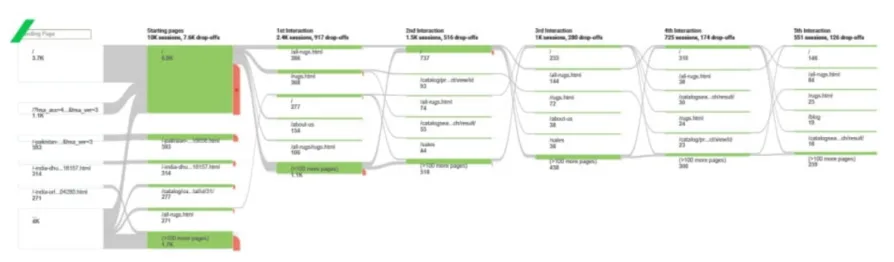
With limited discovery time, we leveraged Google Analytics data that revealed a concerning 60% bounce rate. Our quick analysis identified six critical issues impacting user engagement:
- Navigation Fatigue Users exhibited 'category hopping' behavior, abandoning product list pages without scrolling - indicating ineffective product presentation and categorization.
- Information Overload Product detail pages suffered from content density, overwhelming users with information within a single viewport and triggering decision paralysis.
- Mobile-First Negligence Despite 80% of traffic coming from mobile devices, the site lacked proper mobile optimization, creating significant usability barriers.
- Limited Product Discovery Insufficient promotional elements and category showcases reduced opportunities for organic product discovery.
- Inefficient Header Design Search and navigation components consumed over 20% of viewport space, limiting product visibility and hampering user experience.
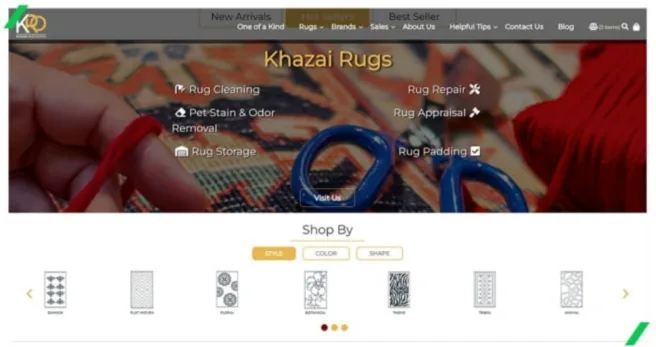
- Hidden Services Additional business services lacked visibility, with poor findability hampering cross-selling opportunities.
Game Plan: Setting Priorities
Operating within Magento's framework and facing time constraints, we developed a structured approach to redesign prioritization:
- Problem Assessment
Ranked issues based on:
- User impact
- Technical feasibility
- Implementation time
- Business value
- Solution Planning
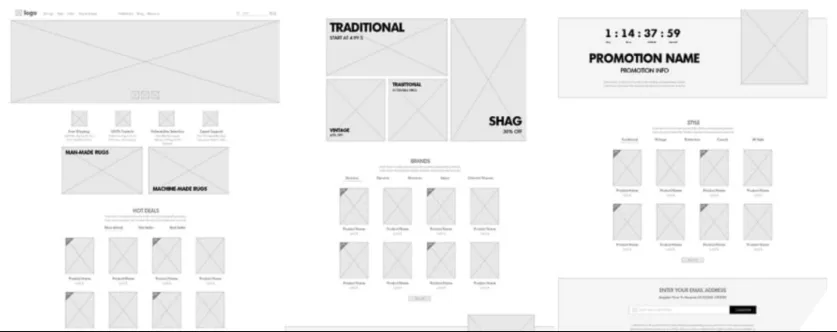
- Created initial wireframes
- Validated with development team for Magento compatibility
- Secured stakeholder approval
- Proceeded with design implementation
Reality Check: Post-Launch Insights
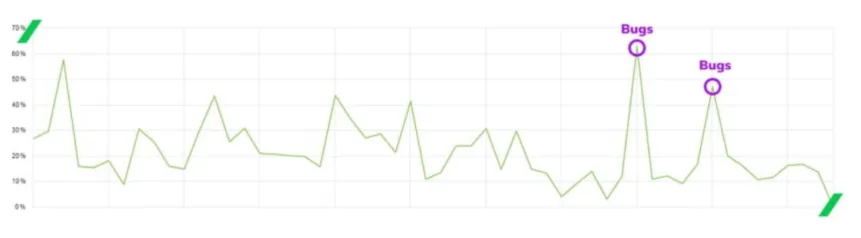
Daily Monitoring Revelations: Our continuous bounce rate tracking showed an unstable pattern, punctuated by two significant spikes due to development issues. While these technical problems were quickly resolved, the underlying chaotic pattern in user behavior suggested deeper usability issues that our redesign hadn't adequately addressed.
Benchmark Research Findings: Through competitive analysis and further user behavior study, we uncovered several critical issues:
- Product List Page Information Hierarchy:
- Users primarily sought price information, yet our design emphasized product names
- Content structure didn't align with actual shopping decision patterns
- Essential purchasing factors weren't immediately visible
- Mobile Experience Friction:
- Single-product-per-viewport design created excessive scrolling
- Users struggled to compare multiple products efficiently
- Mobile layout didn't facilitate quick price comparison
- Screen real estate wasn't optimized for product discovery
- User Fatigue Patterns:
- Excessive scrolling required to view multiple products
- Difficult to maintain context while browsing
- Limited ability to compare options quickly
- Information overload preventing decisive action
- Shopping Behavior Insights:
- Users primarily shopped based on price points
- Need for quick visual comparison of multiple options
- Preference for scanning multiple products simultaneously
- Importance of immediate price visibility in decision-making
These findings indicated that while our initial redesign addressed surface-level issues, it hadn't fully aligned with core user shopping behaviors, particularly in:
- Product comparison efficiency
- Price discovery
- Mobile browsing patterns
- Information hierarchy
This analysis pointed to the need for another iteration, specifically focusing on:
- Restructuring product list page layouts
- Reimagining mobile product presentation
- Reprioritizing price visibility
- Reducing scrolling requirements
Visual Fix: Hierarchy Matters
Our initial redesign focused on fundamental psychological principles to enhance product information clarity:
Typography and Color Enhancement:
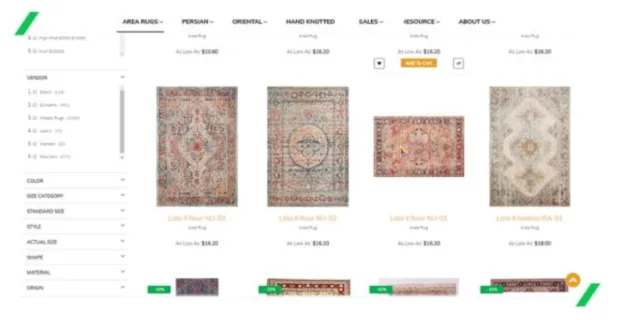
- Adjusted price visibility through strategic color contrast
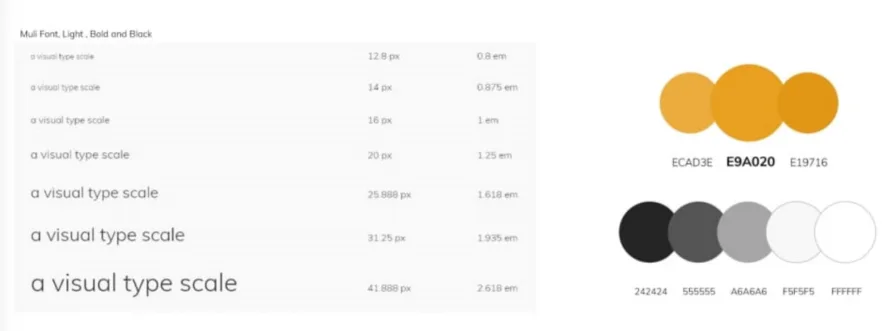
- Refined font sizing to establish clear information hierarchy
- Emphasized price points over product names to match user priorities
Gestalt Principles Application:
- Implemented containment principles through product boxes
- Created clear visual grouping using proximity laws
- Enhanced product distinctiveness while maintaining visual cohesion
Proof Point: Metrics Improve
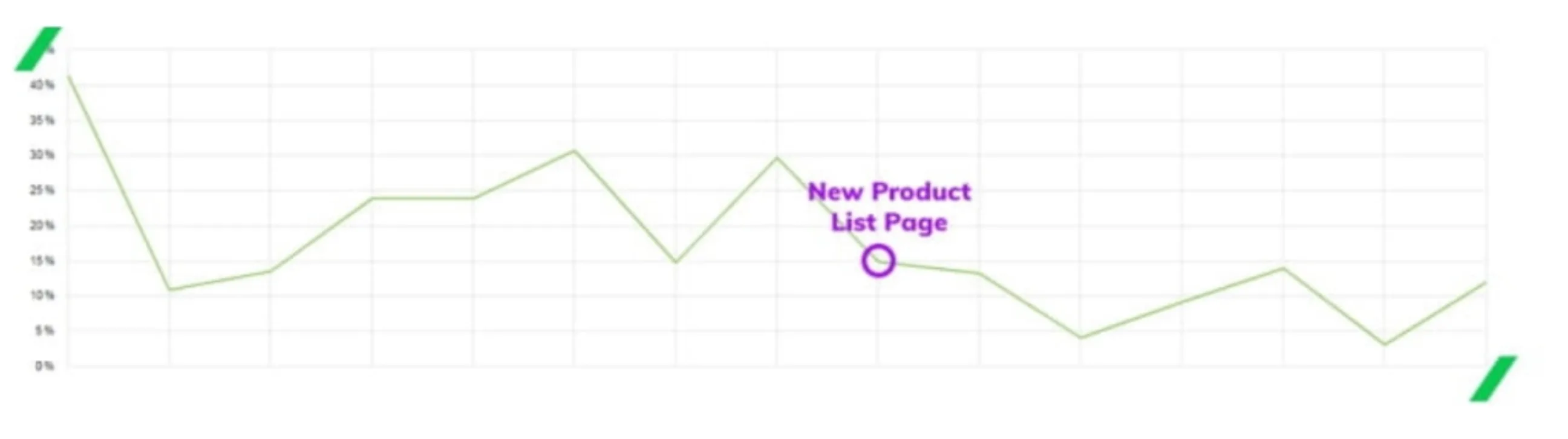
The targeted refinements to our product list page yielded immediate results. By focusing on visual hierarchy and psychological principles in our design, we successfully decreased the bounce rate, validating our hypothesis about information presentation.
Key Design Changes:
- Enhanced price visibility
- Improved product grouping
- Applied Gestalt principles
This data-driven success demonstrated how seemingly subtle visual changes can significantly impact user engagement when grounded in psychological principles and user behavior patterns.
Final Touch: Simplifying Selection
Our usability testing revealed critical issues in the product detail page's selection flow:
Initial Problems:
- Simultaneous display of all colors and sizes created confusion
- Users lost selected options when choosing incompatible combinations
- High risk of human error due to unclear selection dependencies
- Poor feedback on selection status
Solution Implementation: We redesigned the selection process with a forced sequential flow:
- Color selection first (active)
- Size options locked until color selected
- Available sizes dynamically filtered based on color choice
This guided approach:
- Reduced error potential
- Created clear user progression
- Prevented invalid selections
- Improved selection feedback
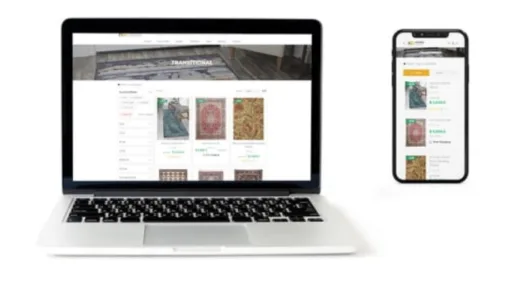
Design in Action: Key Interface Examples