The Challenge: Merchant Hub
Joined BazaarPay's established payment ecosystem serving 18,000+ merchants across Iran, tasked with creating their merchant-facing dashboard. The platform provided comprehensive payment solutions:
Payment Methods:
- Payment gateway integration
- Digital wallet services
- Direct debit capabilities
Key Merchant Needs:
- Self-service onboarding
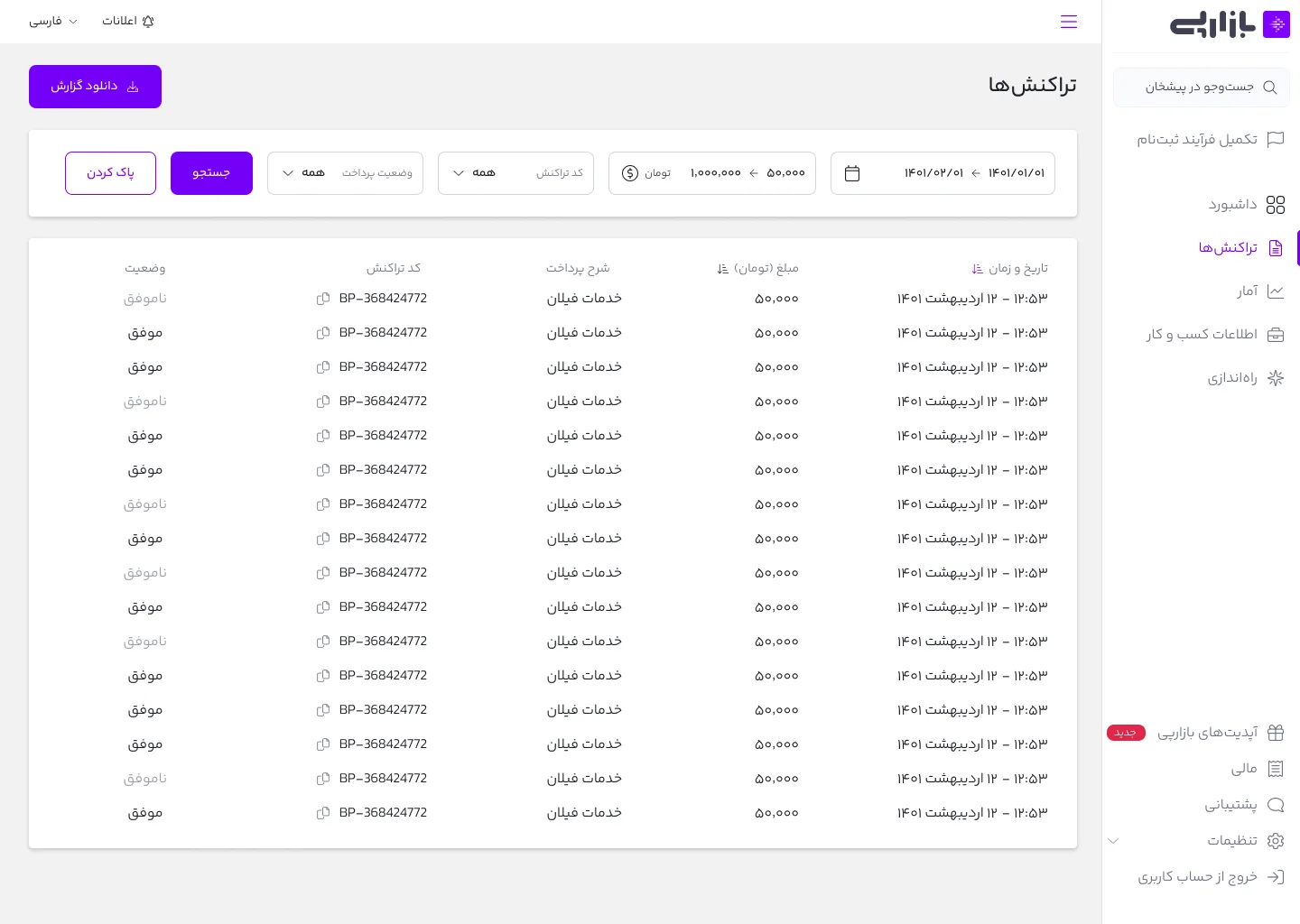
- Transaction tracking and filtering
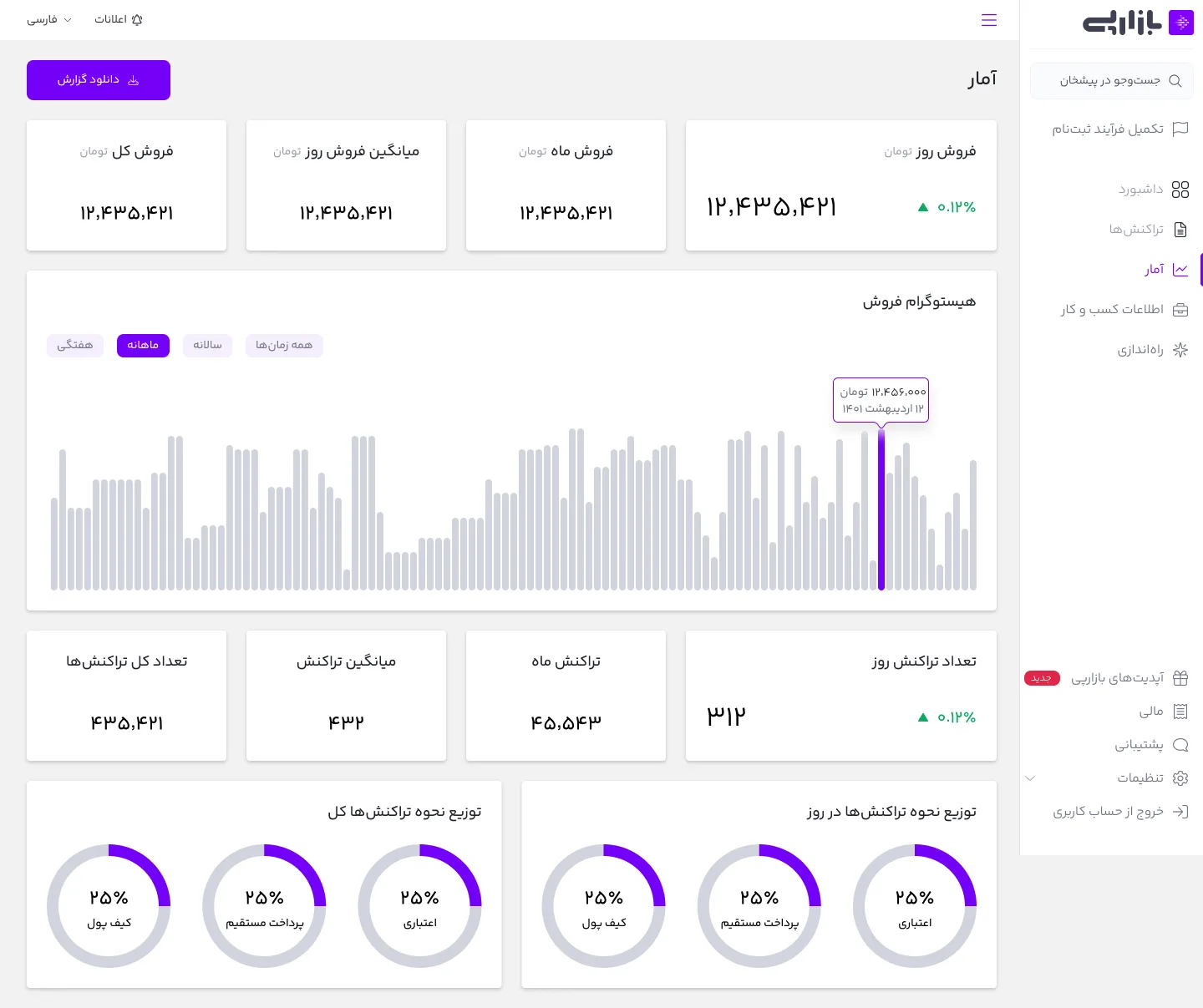
- Revenue visualization and reporting
- API integration management
- Security key configuration
Dashboard Objectives:
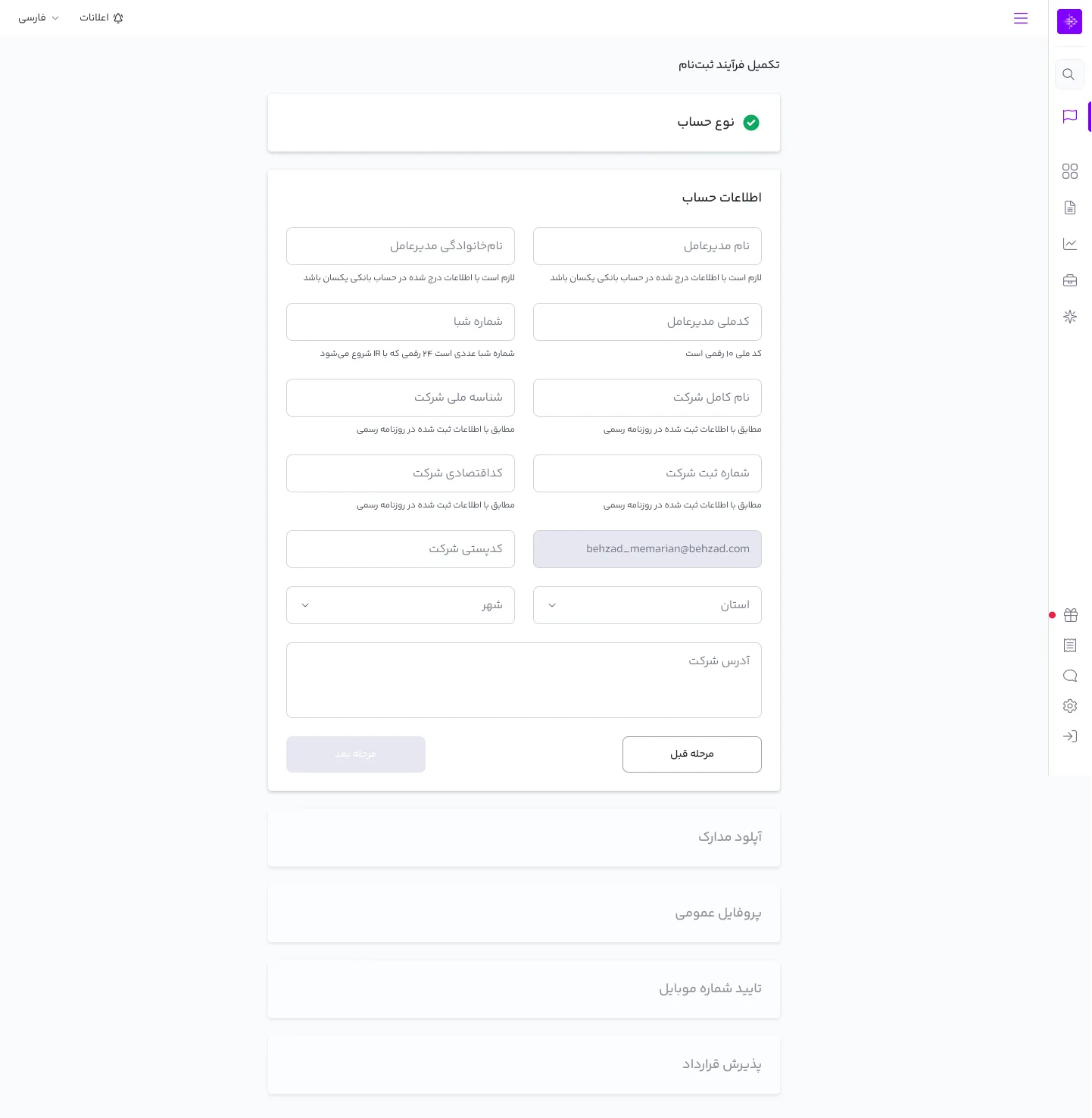
- Streamline merchant registration process
- Provide clear transaction visibility
- Deliver actionable financial insights
- Enable simple API implementation
- Ensure secure integration management
This infrastructure project aimed to empower merchants with tools for managing their BazaarPay integration while maintaining platform security and scalability.
First Moves: Dashboard Adaptation
When I joined BazaarPay, the team was following a lean methodology: build fast, learn fast. While this meant limited initial research time, it allowed for rapid iteration and improvement.
Initial Context: The project built upon Bazaar's existing Developer dashboard, requiring careful balance between consistency and merchant-specific needs. Our goal was to maintain familiarity while addressing unique merchant requirements.
Stakeholder Discovery Process: I conducted focused interviews with key team members to understand both technical constraints and business requirements:
- Product owner: Understanding business goals and success metrics
- Product manager: Clarifying feature priorities and user needs
- Backend lead: Exploring technical limitations and possibilities
- Bazaar admins: Learning from existing dashboard experiences
Critical Finding - Registration Flow Issues: Through stakeholder interviews, we uncovered a significant problem in the existing Developer dashboard:
- High bounce rates during registration
- Complex, multi-page form structure
- Overwhelming number of required inputs
- Poor user feedback during the process
- Unclear progress indicators
- High support ticket volume related to registration
Strategic Approach: Given these insights, I initiated the design process focusing on registration flow optimization:
- Created initial wireframes exploring simpler form structures
- Developed low-fidelity prototypes for quick stakeholder feedback
- Focused on reducing form fields to essential information only
- Explored progressive disclosure techniques
- Designed clear progress indicators
- Implemented immediate validation feedback
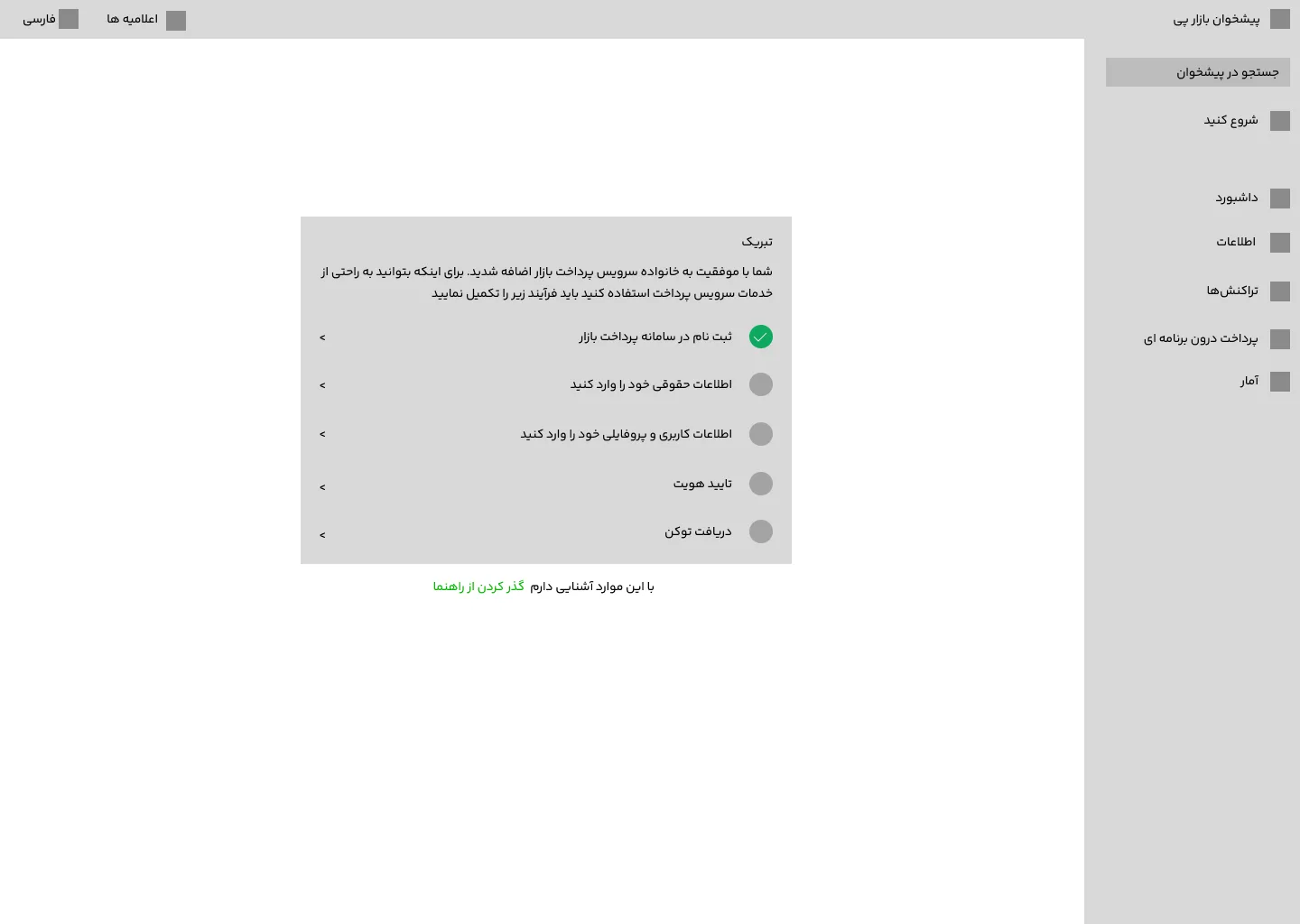
Flow Friction: Why Users Leave
Through stakeholder reviews and design discussions, we uncovered two critical issues causing users to abandon registration in favor of manual admin support:
Key Problems:
- Unclear Initial Requirements
- Users weren't prepared with necessary documents
- No upfront guide about required materials
- Missing big picture view of process steps
- Lack of preparation led to mid-flow abandonment
- Flow Accessibility Concerns
- Users feared losing progress
- Uncertainty about returning to registration
- Perception that incomplete registration was irretrievable
- Preference for admin assistance over self-service
Root Cause Analysis: Users were bypassing the self-service flow because:
- No clear pre-registration checklist
- Missing process transparency
- Poor communication about save/return capabilities
- Lack of progress persistence indicators
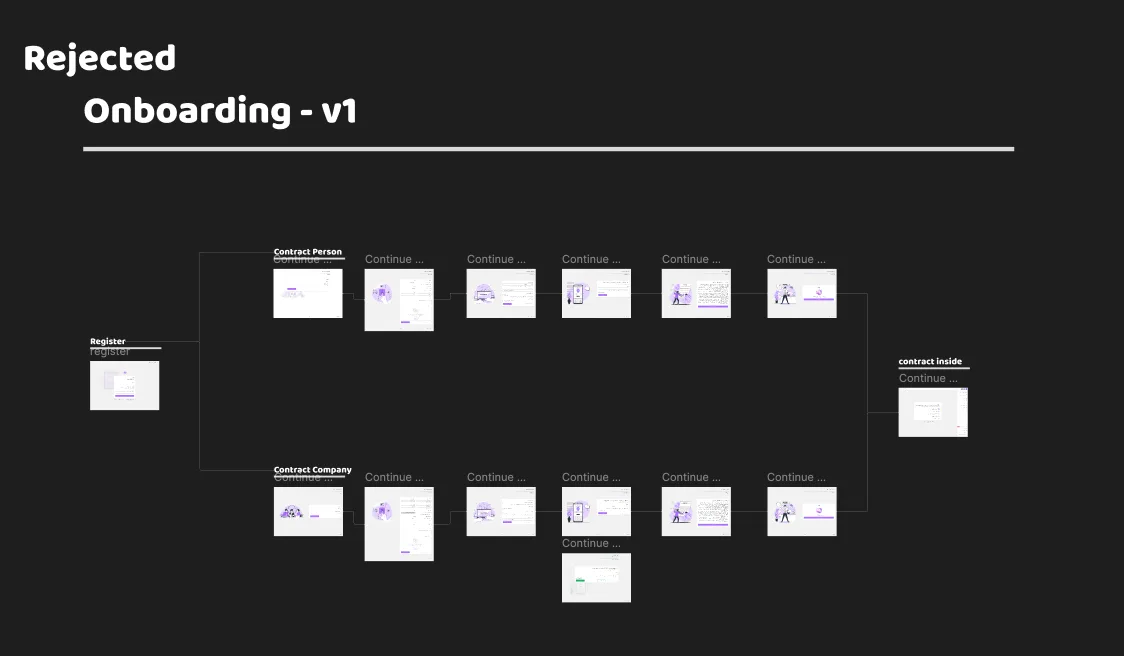
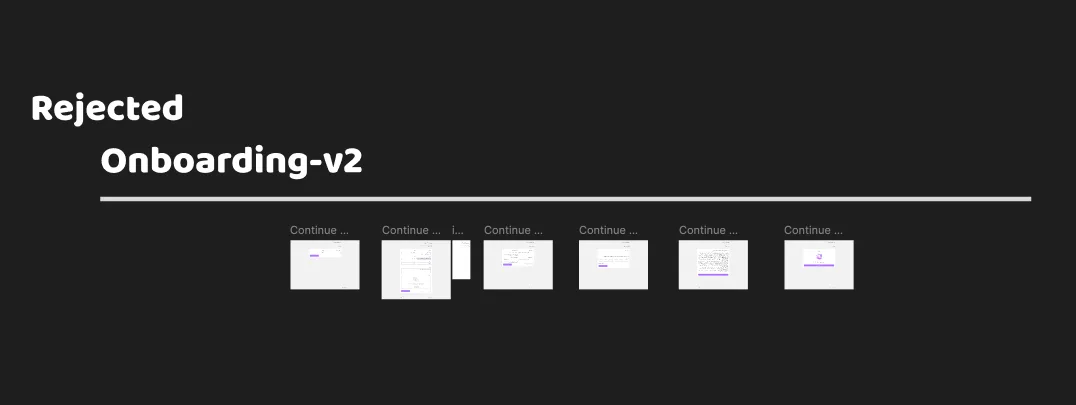
The Fix: Smart Registration
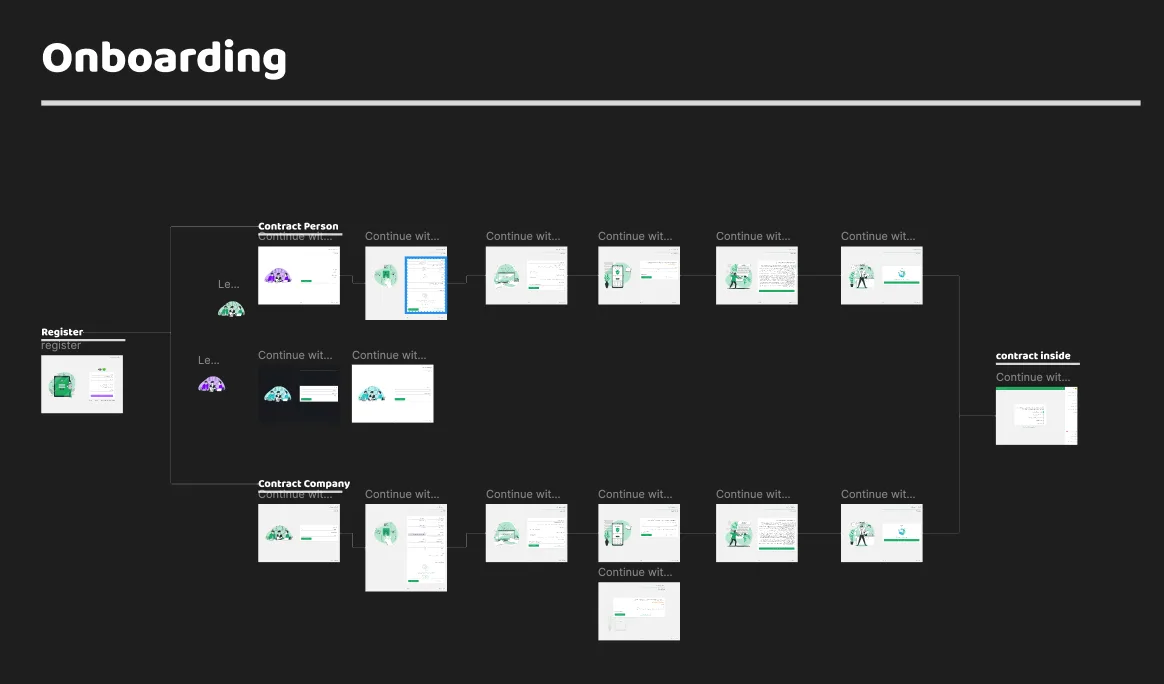
The Challenge Story: After analyzing user behavior and registration abandonment patterns, we developed a solution that maintained user engagement while clearly communicating requirements. Instead of blocking access entirely, we created an inviting yet guided experience that kept users within the ecosystem while completing their registration.
Landing Experience Design:
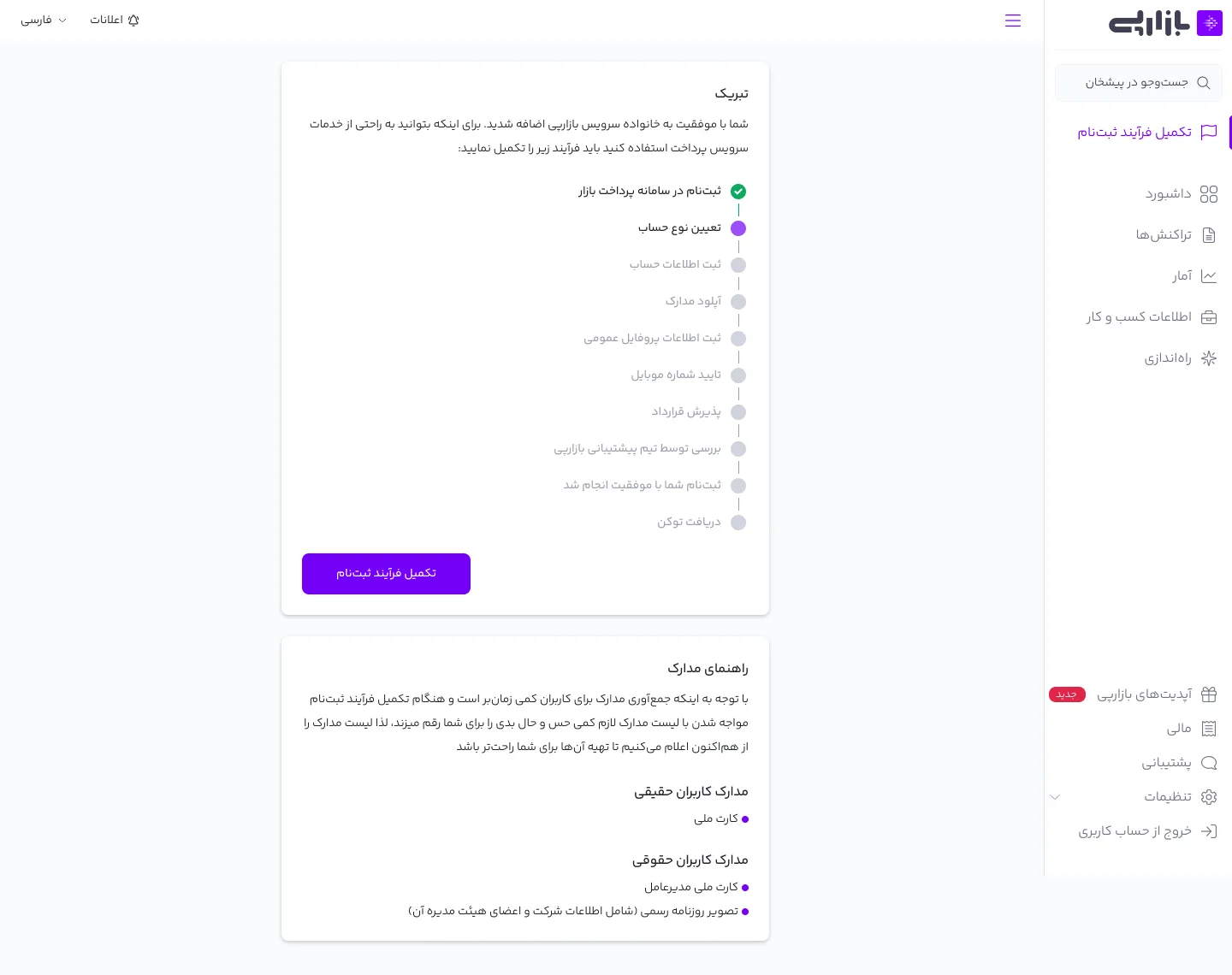
- Welcome overview showing complete registration journey
- Clear visualization of all required steps
- Comprehensive document checklist for preparation
- Progress tracking system showing completed and pending steps
Dashboard Access Strategy:
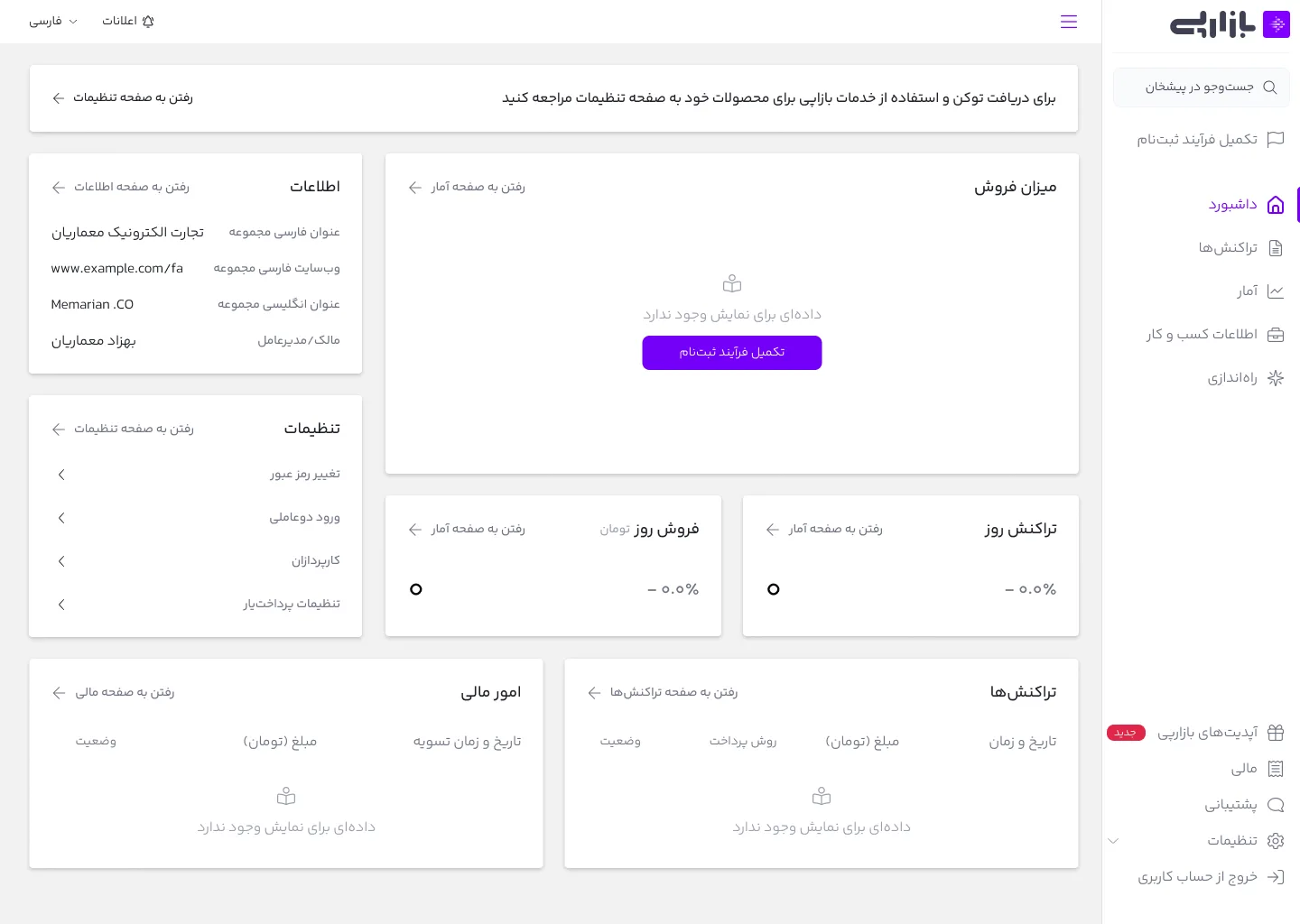
- Full dashboard visibility to showcase platform value
- Strategic feature locking with informative CTAs
- Clear messaging explaining unlock requirements
- Preview capabilities for locked features
- Persistent but non-intrusive registration reminders
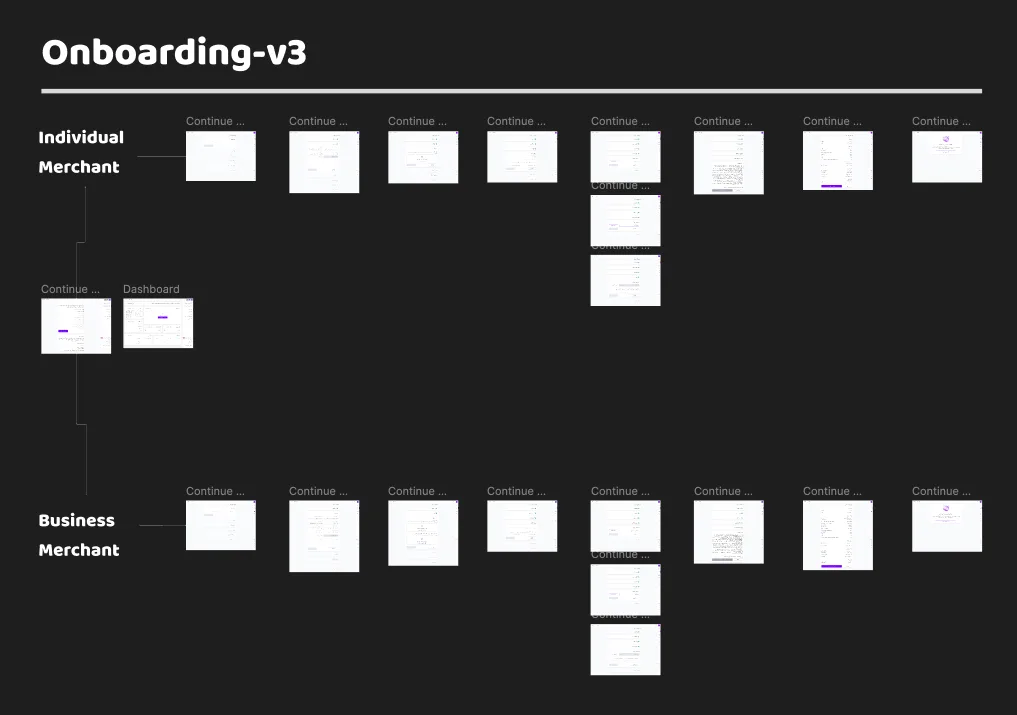
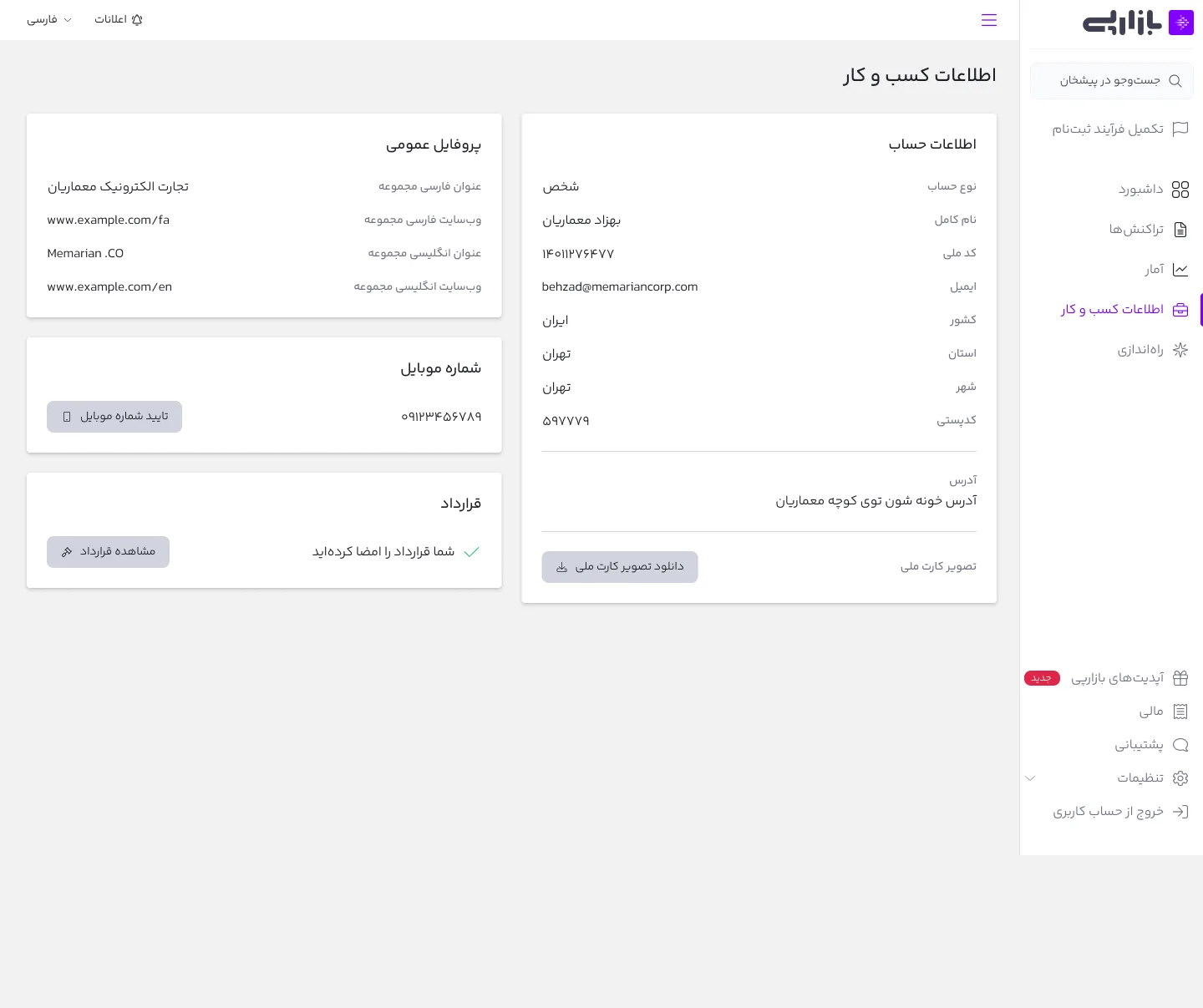
User Type Differentiation: We implemented a smart segmentation system:
- Individual Merchant Path:
- Simplified document requirements
- Personal identification focus
- Streamlined verification process
- Individual banking integration
- Business Merchant Path:
- Corporate document collection
- Business verification requirements
- Multiple user management
- Corporate banking integration
Key Design Elements:
- Progressive disclosure of requirements
- Clear status indicators throughout
- Save and resume functionality
- Contextual help and guidance
- Error prevention systems
- Real-time validation feedback
This solution successfully:
- Reduced registration abandonment
- Decreased admin support requests
- Improved user self-service completion
- Enhanced overall user experience
- Maintained security compliance
Design in Action: Key Interface Examples

Reality Check: The Pivot
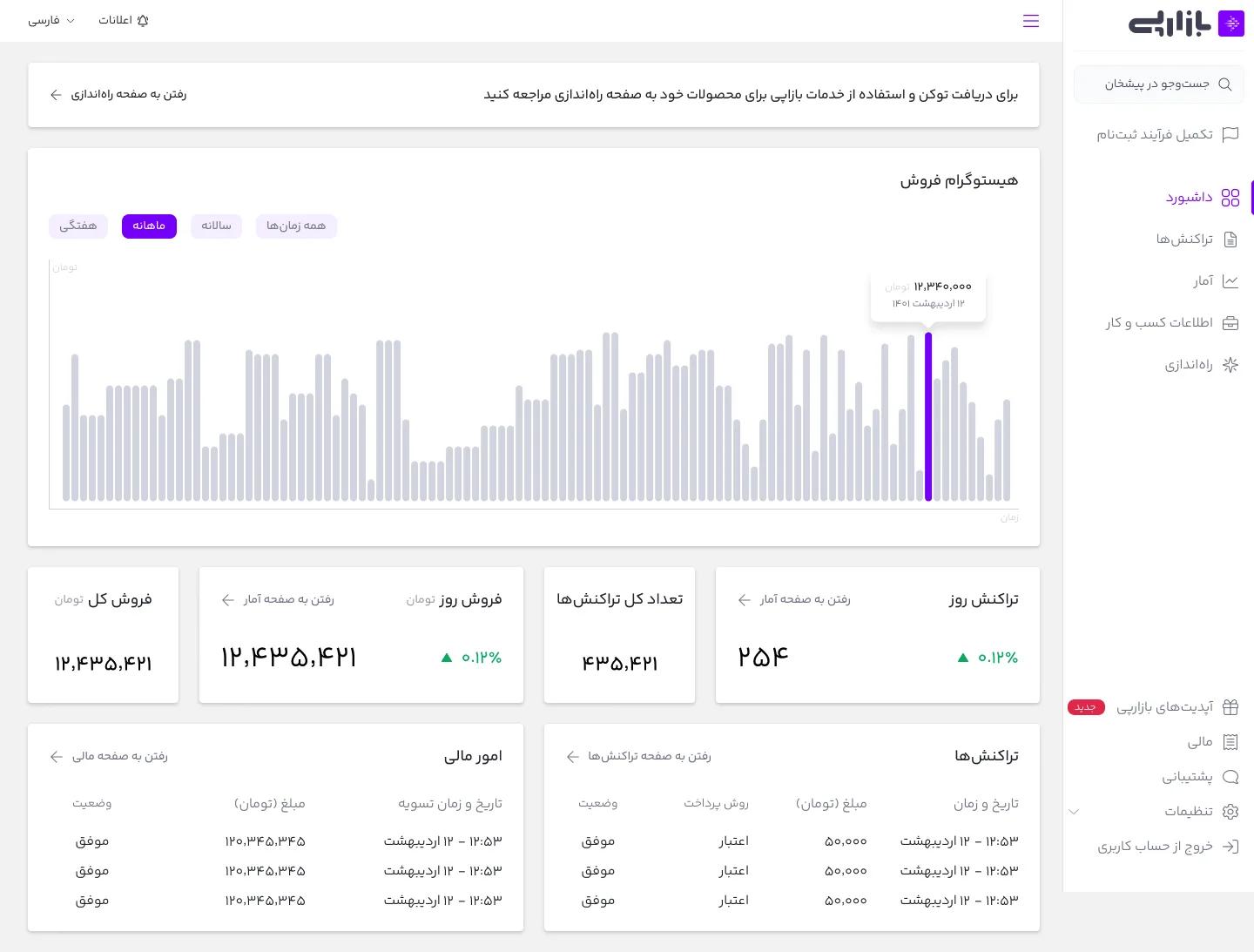
Despite successful implementation of the merchant dashboard, post-launch data revealed a crucial insight: merchants' actual needs differed from our initial assumptions. The solution we built, while technically sound, didn't align with how merchants wanted to interact with BazaarPay's Payment as a Service.
Launch Status:
- Dashboard fully developed
- Registration flow optimized
- Feature set complete
Key Learning: Merchants required a different approach to payment service integration, leading to the strategic decision to discontinue the dashboard and redirect resources toward developing more fitting solutions.